The End of Passwords
Passkeys represent the most significant authentication shift since passwords were invented. A passkey is a cryptographic credential stored on your device (phone, laptop, security key) that authenticates you using the device's built-in biometric system — Face ID, Touch ID, Windows Hello, or Android biometrics. No password is created, stored, transmitted, or phishable. You log in by simply unlocking your device with your face or fingerprint.
In 2026, passkey support is available across Apple (iCloud Keychain), Google (Google Password Manager), and Microsoft (Windows Hello), with adoption by major services including Google, Apple, Microsoft, Amazon, PayPal, eBay, and hundreds of banking institutions. The FIDO Alliance's FIDO2/WebAuthn standard provides the technical foundation.
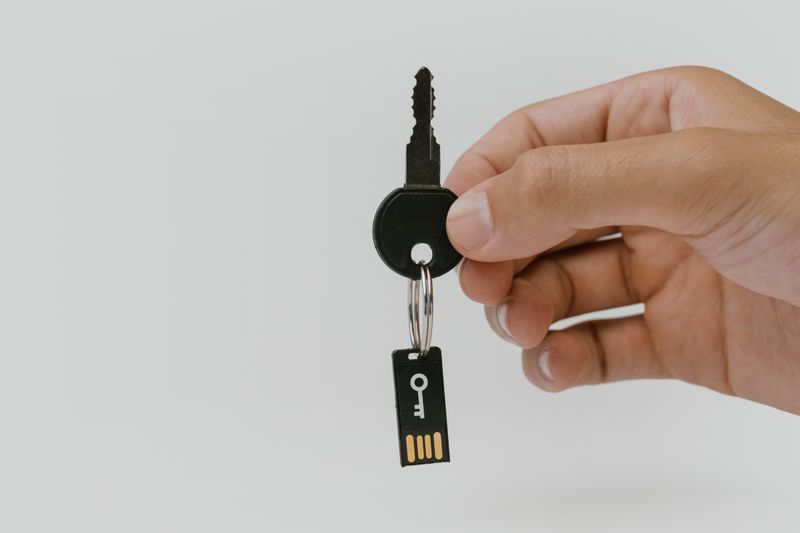
Why Passkeys Are Better Than Passwords
Phishing-proof: Passkeys are cryptographically bound to the specific website. They physically cannot be phished — even a perfect replica site cannot extract the credential.
No passwords to steal: There is no password stored on any server. A data breach cannot expose credentials that don't exist.
Easier for users: Touch or face instead of remembering complex passwords. See full advantages.
For the technical standard behind passkeys, see FIDO2/WebAuthn. For enterprise deployment, see implementation guide and zero trust architecture.
Passkeys represent the consumer-friendly implementation of the FIDO2/WebAuthn standard, designed to replace passwords entirely with biometric-backed cryptographic credentials. When you create a passkey on a website or app, your device generates a public-private key pair, stores the private key in its secure enclave, and registers the public key with the service. To sign in later, you simply use your device's biometric sensor — Face ID, Touch ID, Windows Hello, or an Android fingerprint reader — and the device signs a cryptographic challenge that proves your identity without transmitting any biometric data or shared secret over the network.
The breakthrough that distinguishes passkeys from earlier FIDO2 implementations is cross-device synchronization. Apple, Google, and Microsoft each synchronize passkeys across their respective ecosystems through encrypted cloud keychains — so a passkey you create on your iPhone is automatically available on your iPad, Mac, and (via cross-platform protocols) on a Windows PC through a QR-code handshake with your phone. This solves the device-loss recovery problem that previously made hardware security keys impractical for mainstream consumers. Major services including Google, Apple, Microsoft, Amazon, PayPal, GitHub, and hundreds of others now support passkey login, with adoption growing as users experience the combination of stronger security and zero-friction authentication. For organizations building passkey support, the implementation process is well-documented through the FIDO Alliance's reference architectures and SDKs. For broader context on how passkeys fit into layered security, see biometric MFA and zero-trust biometric strategies.
Passkeys and Biometrics: The Convergence Reshaping Authentication
Passkeys represent the convergence of biometric authentication with modern cryptographic security, creating an authentication model that is simultaneously more secure and more convenient than traditional passwords. When a user authenticates with a passkey, their device uses a locally stored private key — unlocked by a biometric verification like a fingerprint scan or facial recognition — to sign a cryptographic challenge from the server. The private key never leaves the device, the biometric data never leaves the device, and the server never holds a shared secret that could be stolen in a breach.
The practical impact on security is substantial. Because passkeys are cryptographically bound to specific domains, they cannot be used on phishing sites — even if a user is tricked into visiting a convincing replica, the passkey simply will not activate because the domain does not match. This eliminates the entire category of credential phishing attacks that accounts for the majority of authentication-related breaches. Combined with the biometric unlock requirement, passkeys also resist device theft scenarios — a stolen phone or laptop cannot be used to authenticate without the owner's fingerprint or face.
Cross-platform operability has been a key focus of recent development. Apple's iCloud Keychain, Google Password Manager, and third-party tools like 1Password now sync passkeys across devices within their ecosystems, and cross-ecosystem authentication is possible through QR-code-based FIDO2 proximity flows. The FIDO Alliance's Credential Exchange Protocol, still maturing, aims to further simplify migration of passkeys between different platforms and password managers, addressing one of the last significant friction points in the passkey user experience.
Key Facts: Passkey Biometric Authentication
- ✓ Over 150 major services support passkeys in 2026, including Google, Apple, Amazon, PayPal, and GitHub
- ✓ Google reports passkey sign-ins are about 2x faster and roughly 4x more successful than passwords (Google, May 2023)
- ✓ Consumer awareness of passkeys reached 57% in 2024, up from 39% in 2022 (FIDO Alliance)
- ✓ Passkeys are available on over 90% of iOS and Android devices worldwide
- ✓ Biometric data never leaves the device — only a cryptographic signature is transmitted to servers
- ✓ NIST SP 800-63-4 recognizes synced passkeys as AAL2 authenticators for federal systems
Passkeys vs. Traditional Authentication: Head-to-Head Comparison
| Feature | Passwords + SMS 2FA | Authenticator Apps | Passkeys (Biometric) |
|---|---|---|---|
| Phishing resistance | None — credentials can be entered on fake sites | Low — real-time relay attacks still work | Full — cryptographically bound to domain |
| User friction | High — remember password, wait for code, type code | Medium — open app, read code, type code | Minimal — single biometric touch or glance |
| Server breach risk | Critical — password hashes can be cracked | Low — but shared secrets exist on server | None — server holds only public keys |
| SIM-swap vulnerability | Yes — SMS codes intercepted | No | No |
| Device loss recovery | Password still works from any device | Backup codes or re-enrollment required | Cloud sync across ecosystem devices |
| MFA fatigue attacks | Yes — push notification bombing | No | No — requires physical biometric |
| NIST AAL level | AAL1 (password only) or AAL2 (with SMS) | AAL2 | AAL2 (synced) or AAL3 (hardware-bound) |
Passkey Adoption by Industry in 2026
Passkey deployment is no longer limited to technology companies. The FIDO Alliance reports that adoption has expanded across financial services, healthcare, government, and e-commerce. In banking, major banks have begun rolling out passkey login for consumer and business accounts. The European Banking Authority's updated Strong Customer Authentication guidelines now explicitly recognize FIDO2 passkeys as compliant authentication methods under PSD2, removing a regulatory ambiguity that had slowed adoption in the EU financial sector.
Healthcare organizations are adopting passkeys to meet HIPAA access control requirements while reducing clinician authentication friction. Major electronic health record platforms such as Epic Systems and Oracle Health (formerly Cerner) support FIDO2-based authentication, allowing clinicians to authenticate with a fingerprint tap rather than typing complex passwords dozens of times per shift. This shortens login time meaningfully per authentication event — a productivity improvement when multiplied across hundreds of daily logins per clinician.
Government agencies are among the most aggressive passkey adopters, driven by NIST SP 800-63-4 requirements for phishing-resistant authentication. The U.S. Office of Management and Budget's zero trust mandate requires federal agencies to adopt phishing-resistant MFA. Most agencies are meeting this requirement through Windows Hello for Business deployment combined with FIDO2 security keys for high-assurance scenarios. For a deeper look at how passkeys integrate with zero trust architecture, see our zero trust biometric guide.
Enterprise Passkey Implementation: A Step-by-Step Framework
Deploying passkeys across an enterprise requires a structured approach that balances security improvement with user experience continuity. Based on successful deployments at organizations ranging from mid-market companies to Fortune 500 enterprises, the following framework has proven effective.
Phase 1: Assessment and Infrastructure (Weeks 1-4)
Audit your current authentication stack to identify which identity providers, applications, and services support FIDO2/WebAuthn. Major identity platforms including Microsoft Entra ID, Okta, Ping Identity, and Auth0 all support passkeys natively. Catalog applications that require custom integration and estimate development effort. Assess your device fleet to confirm that employee devices have the required biometric hardware — most laptops manufactured after 2020 include fingerprint readers or IR cameras for Windows Hello.
Phase 2: Pilot and Voluntary Adoption (Weeks 5-12)
Launch passkey registration alongside existing authentication methods. Allow employees to create passkeys voluntarily while retaining password-plus-MFA as a fallback. Target IT staff and security teams first — they understand the technology and provide useful feedback. Track adoption rates, authentication success rates, and helpdesk ticket volume related to authentication issues. Google has reported that passkeys deliver roughly a 30% higher sign-in success rate than passwords, which in turn eases authentication-related support load.
Phase 3: Mandatory Rollout (Weeks 13-24)
Once voluntary adoption demonstrates positive metrics, transition to mandatory passkey registration for all employees. Set a deadline for passkey enrollment while maintaining password fallback for a grace period. Prioritize high-risk groups — administrators, finance teams, executives with access to sensitive systems — for early mandatory adoption. Ensure that your implementation plan includes provisions for edge cases: shared workstations, accessibility accommodations, and employees in regions with limited device availability.
Privacy Architecture: How Passkeys Protect Biometric Data
A common concern about biometric authentication is the security of biometric data itself. Passkeys address this concern through a privacy-by-design architecture that ensures biometric information never leaves the user's device. When you authenticate with a passkey, your device's secure enclave (Apple's Secure Enclave, Google's Titan M2, or the TPM on Windows devices) processes the biometric match entirely locally. The biometric template is stored in hardware-isolated memory that cannot be accessed by the operating system, applications, or even the device manufacturer.
The server-side component of the passkey system receives only a cryptographic assertion — a mathematical proof that the correct biometric was presented on the correct device — without any information about the biometric itself. This architecture means that even a complete server breach exposes zero biometric data. It also simplifies compliance with biometric privacy laws like Illinois BIPA, California's CCPA, and the GDPR's biometric data provisions, because the organization deploying passkeys never possesses biometric data in the first place. For organizations considering multimodal biometric systems, this on-device processing model is the recommended architecture for both privacy and security reasons.
Frequently Asked Questions
Q: What is a passkey and how does it work?
A passkey is a cryptographic credential stored on your device that replaces passwords. When you log in, your device uses its built-in biometric sensor (fingerprint or face recognition) to unlock a private key stored in the secure enclave, which signs a cryptographic challenge from the server. No password is ever created, transmitted, or stored on the server.
Q: Are passkeys safer than passwords with two-factor authentication?
Yes. Passkeys are phishing-proof because they are cryptographically bound to the legitimate website domain and cannot be tricked into working on fake sites. Traditional 2FA methods like SMS codes remain vulnerable to SIM-swapping and real-time phishing relays. Passkeys eliminate both the password and the interceptable second factor.
Q: What happens if I lose my device with passkeys on it?
Passkeys sync across your ecosystem through encrypted cloud keychains. Apple syncs via iCloud Keychain, Google via Google Password Manager, and Microsoft via Windows Hello. If you lose one device, your passkeys remain available on your other devices within the same ecosystem. Cross-platform recovery is possible through QR-code handshake protocols.
Q: Which websites and apps support passkeys in 2026?
As of 2026, over 150 major services support passkeys including Google, Apple, Microsoft, Amazon, PayPal, eBay, GitHub, WhatsApp, TikTok, Uber, and hundreds of banking institutions. The FIDO Alliance maintains a directory of passkey-enabled services at passkeys.directory.
Q: Can passkeys work across Apple and Android devices?
Cross-platform authentication is supported through FIDO2 proximity flows using QR codes and Bluetooth. You can use a passkey stored on your iPhone to log into a Windows PC by scanning a QR code with your phone. The FIDO Alliance Credential Exchange Protocol is also working toward full passkey portability between ecosystems.
Q: Do passkeys store my fingerprint or face data on a server?
No. Biometric data never leaves your device. The passkey system only uses your biometric locally to unlock the cryptographic key stored in the device's secure enclave. The server receives a cryptographic signature proving your identity — not your fingerprint template or facial scan.
Q: How do businesses implement passkey support?
Businesses implement passkeys through the WebAuthn API, which is supported in all major browsers. Server-side libraries are available for every major programming language. Most identity providers (Okta, Auth0, Microsoft Entra ID) now offer built-in passkey support, reducing implementation to configuration rather than custom development.
Q: Will passkeys completely replace passwords?
The industry trajectory strongly suggests passwords will become a legacy fallback within the next few years. Google reported that passkey sign-ins are about 2x faster and roughly 4x more successful than passwords. However, full replacement requires universal adoption, and some legacy systems and edge cases will likely retain password support as a backup method during the transition period.
Last reviewed and updated: March 2026